
Your lessons, automatically scheduled.
Import your students, set your hours, and get a conflict-free timetable — for any subject, any schedule.

All student data stays on your device. Always.
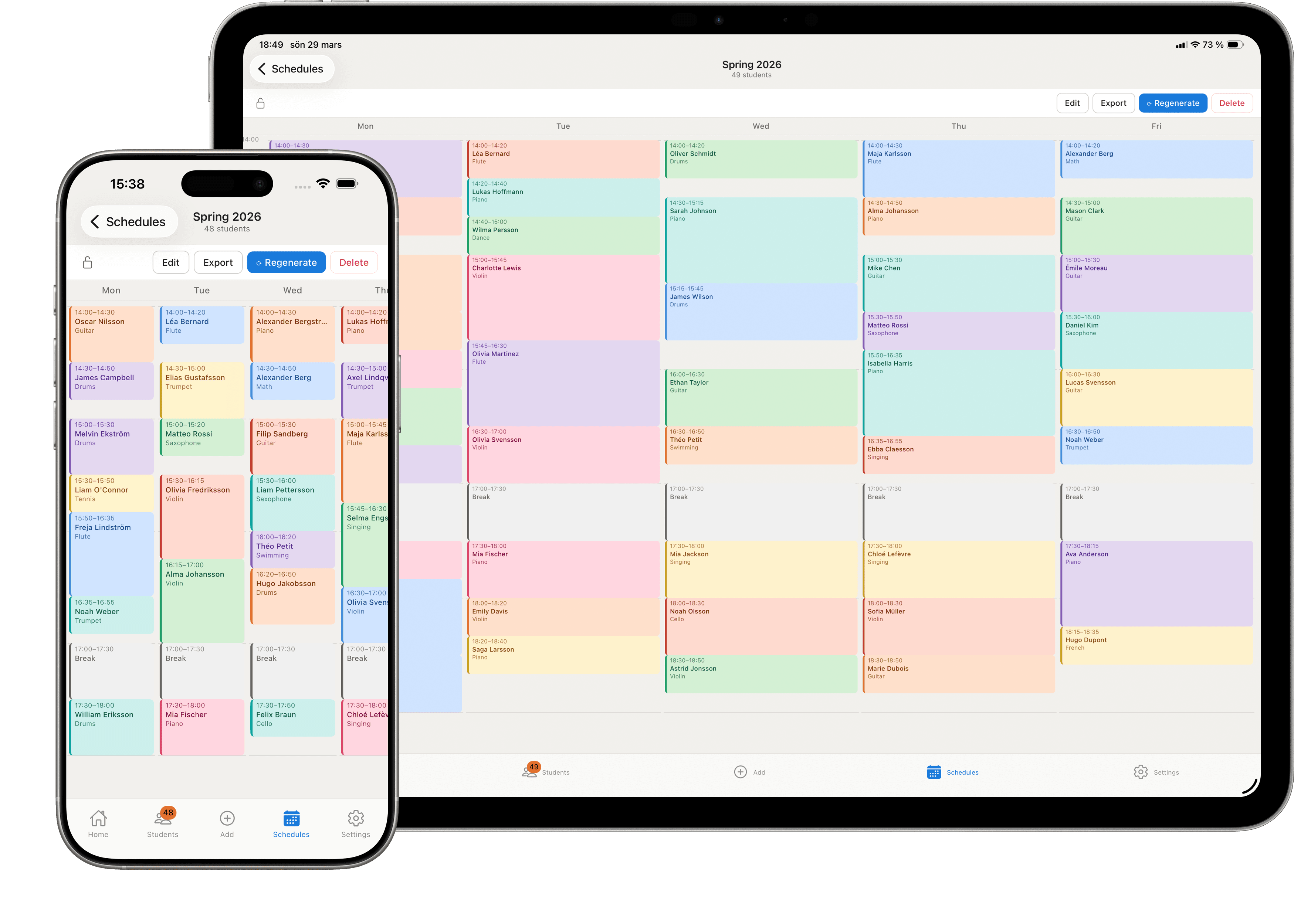
What you get
Built for teachers, tutors, and instructors.
Automatic conflict-free scheduling
One tap places every student without conflicts, based on availability. Automatic by default — adjustable whenever you want.
Fine-tune by hand
Drag any lesson or break right on the timetable to a new time. Free up a break and later lessons slide earlier to fill it.
Import from a spreadsheet
Bring your student list from Excel, CSV, or Google Sheets. Or type them in — whatever works.
Group lessons
Schedule groups alongside one-on-ones. Lock time slots for ensembles or recurring classes.
Readable on any screen
Choose how many days show at once — a few on your phone, the full week spread out on iPad.
Clean exports
Share your timetable as PDF, Excel, or CSV. Print, email, or save — watermark-free on Pro.
Private by design
Student data never leaves your device. GDPR compliant by design. We never see it.
Works offline
No internet needed. Your schedule is always available, wherever you are.
Thoughtful details
Dark mode, undo on any change, pinch-to-zoom, and 12- or 24-hour time — the small things that make it nicer to use day to day.
How it works
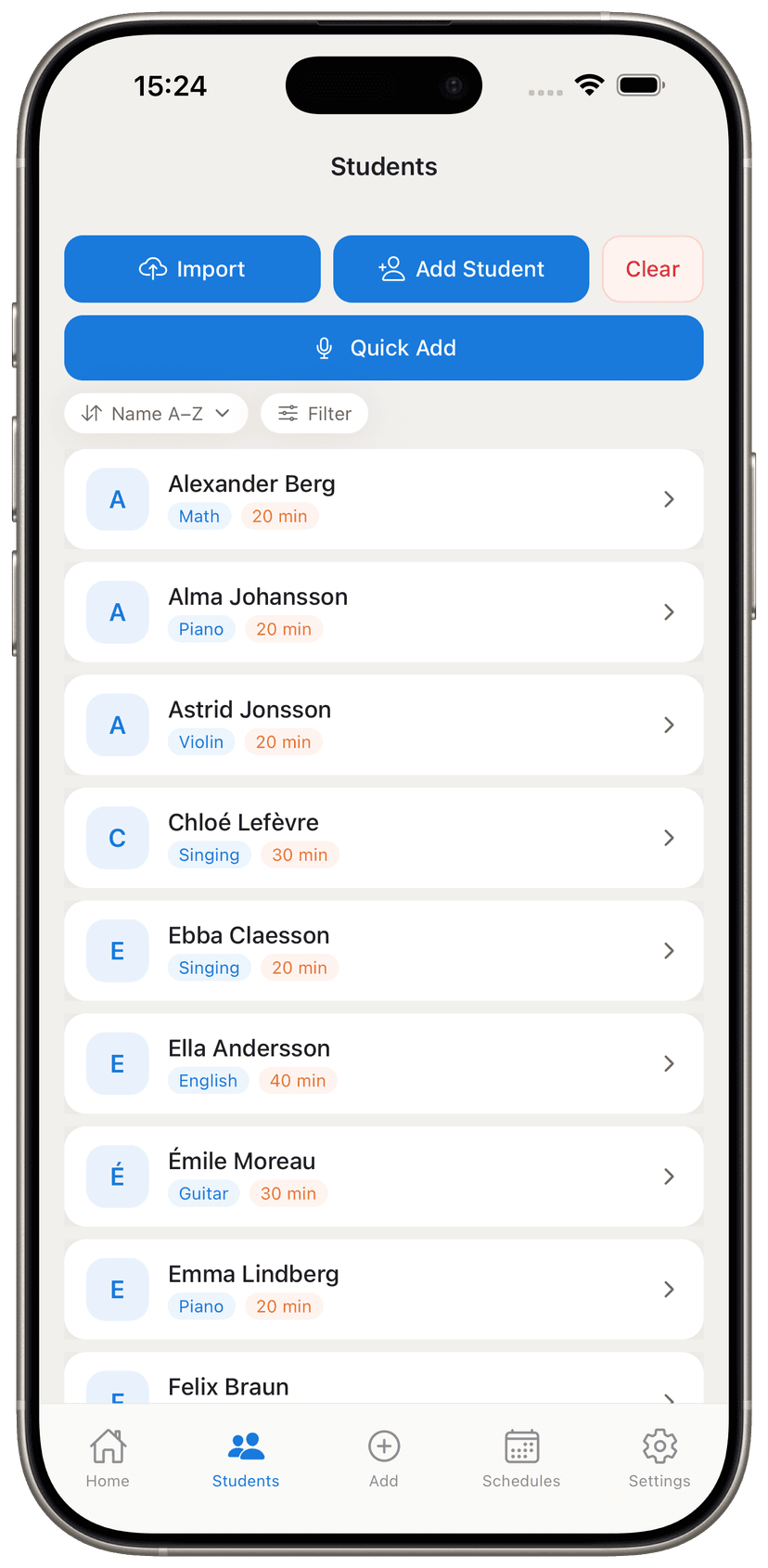
Add your students
Import from a spreadsheet or add them one by one. Each student gets a name, activity, and lesson duration.
Get a free template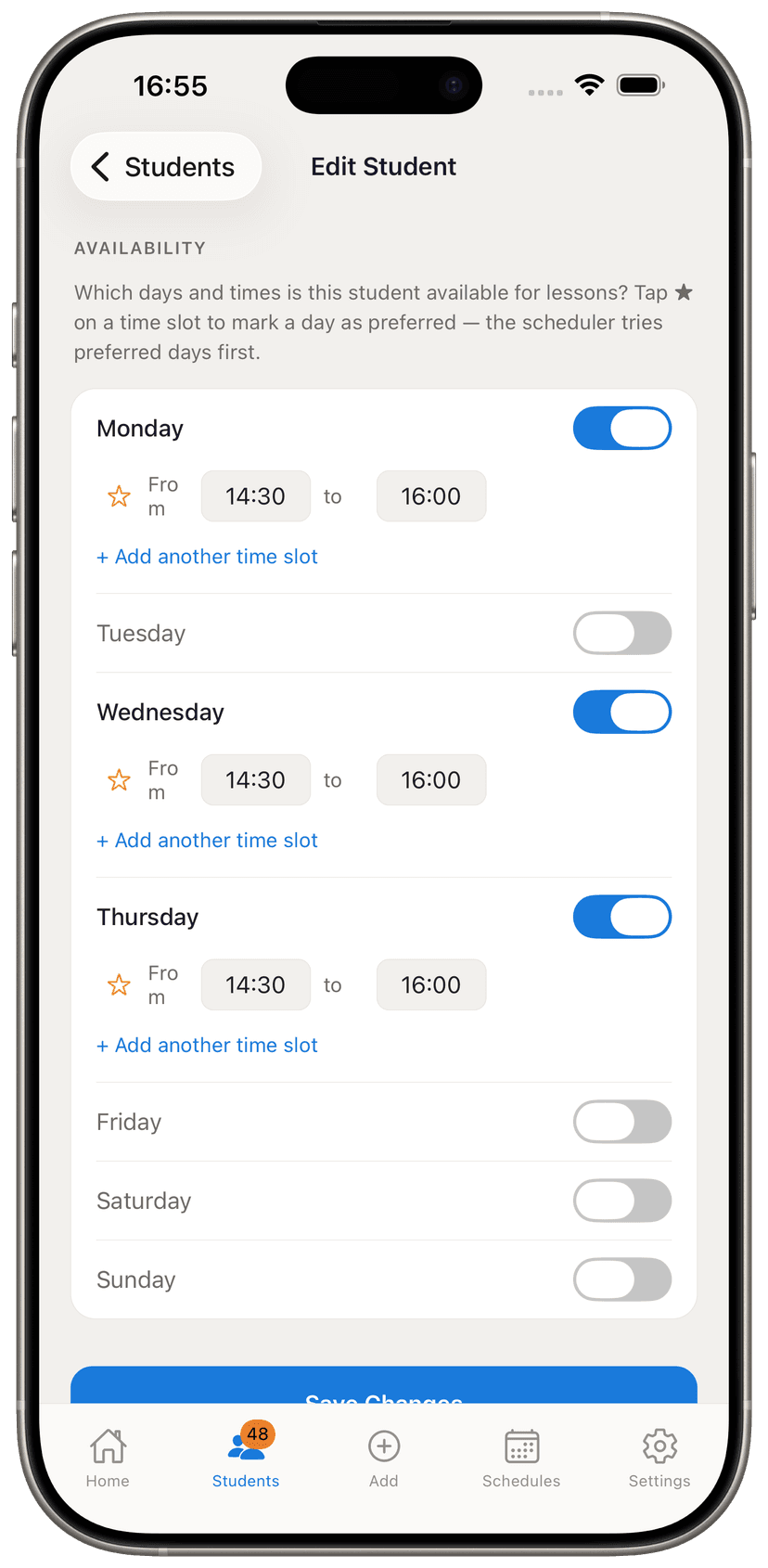
Set when they're free
Toggle the days and times each student is available. Star their preferred days and the scheduler prioritises those.
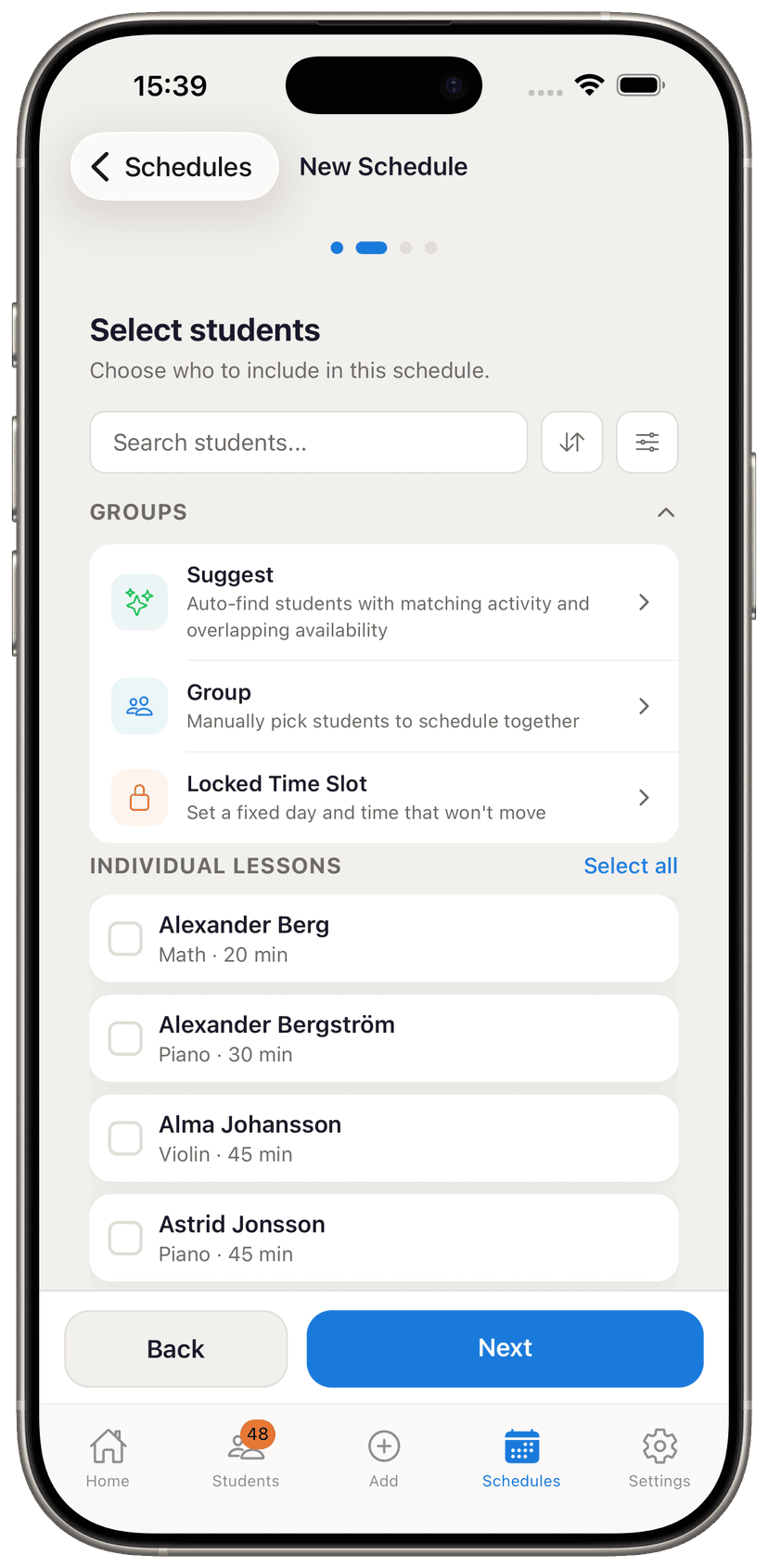
Pick who to include
Select students, set up groups, or let the app suggest groups based on matching activities and availability.
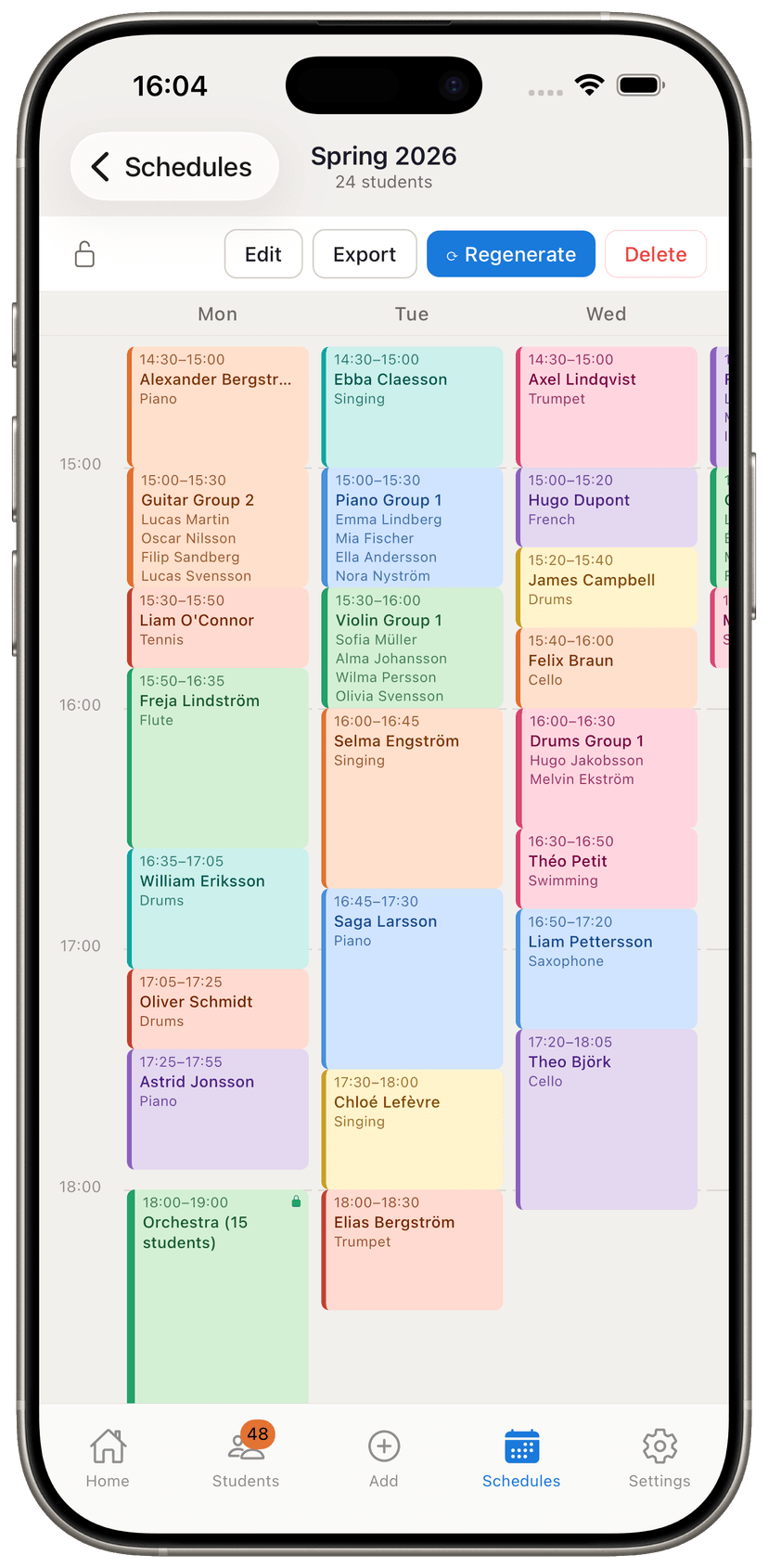
Get your schedule
Tap Generate, and every student is placed without conflicts. From there, drag any lesson or break to fine-tune it by hand.
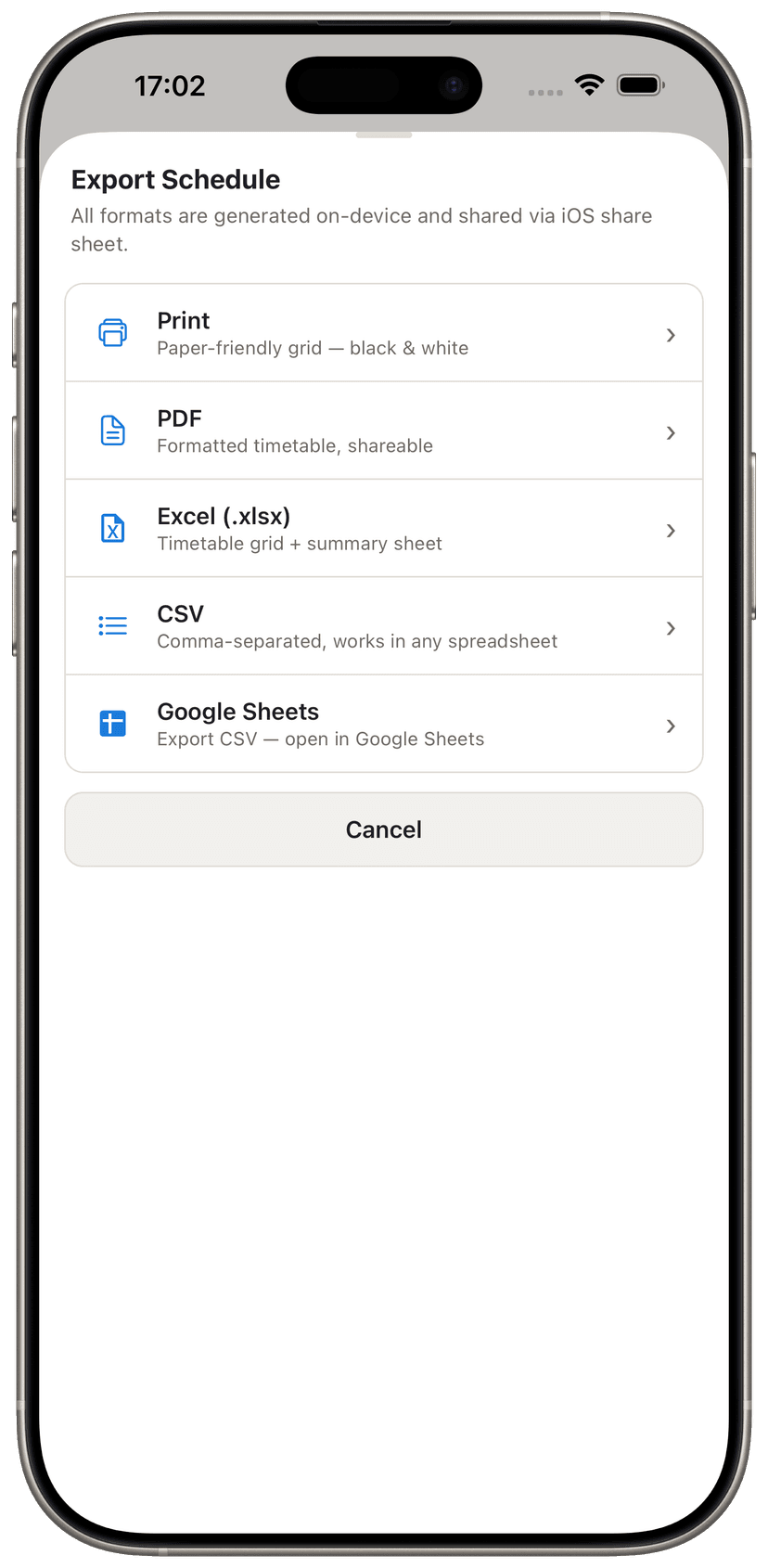
Share it however you want
Print it, send a PDF, or export to Excel. Everything happens on your phone, no account needed.
Start from a free template
Don't type your student list by hand. Grab a ready-made spreadsheet with the right columns, fill it in, and import it. It opens in Excel, Apple Numbers, or Google Sheets.
For any kind of teacher
If you schedule recurring lessons — private or group — this is for you.
Anyone scheduling recurring 1-on-1 or group sessions.
Pricing
Start free. Upgrade when you're ready.
Trial
for 14 days · no card required
- Everything unlocked
- Unlimited students & schedules
- Drag to rearrange lessons & breaks
- All group features
- Backup & restore
- No credit card needed
Free — after trial
forever free
- 8 students
- 1 schedule
- All imports included
- Unlimited exports (with small credit footer)
- Regular groups
- Your data — nothing deleted
Pro
or $29.99/year · Save 50%
- Unlimited students & schedules
- Drag to rearrange lessons & breaks
- Locked time slots & smart group suggestions
- Lesson balancing across days
- Watermark-free exports
- Backup & restore